Health & Fitness
Face Yoga
Follow-along face yoga videos, a 30-day journey, a 21-day challenge and a private selfie journal. No equipment, no account.
Learn More
Plank Workout at Home
A stronger core, one plank at a time.
Short, guided plank workouts for a stronger core. Follow the 30-day challenge or pick a plan for your level, hold each plank while the countdown and voice coach keep time, and track your progress week by week.
Health & Fitness
Plank Workout focuses on one simple move done many ways. Planks work your abs, lower back, shoulders and glutes together, and a few minutes a day is enough to make them a habit.
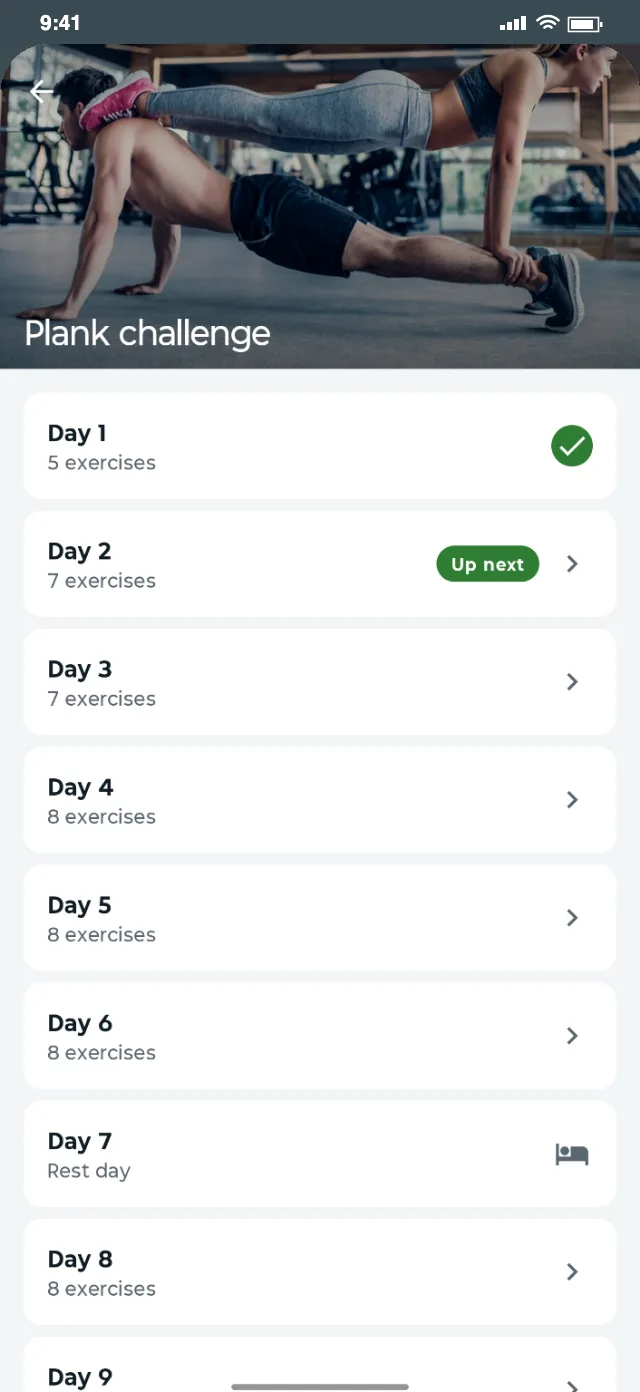
The challenge starts with short holds and builds up day by day, with a rest day every seventh day.
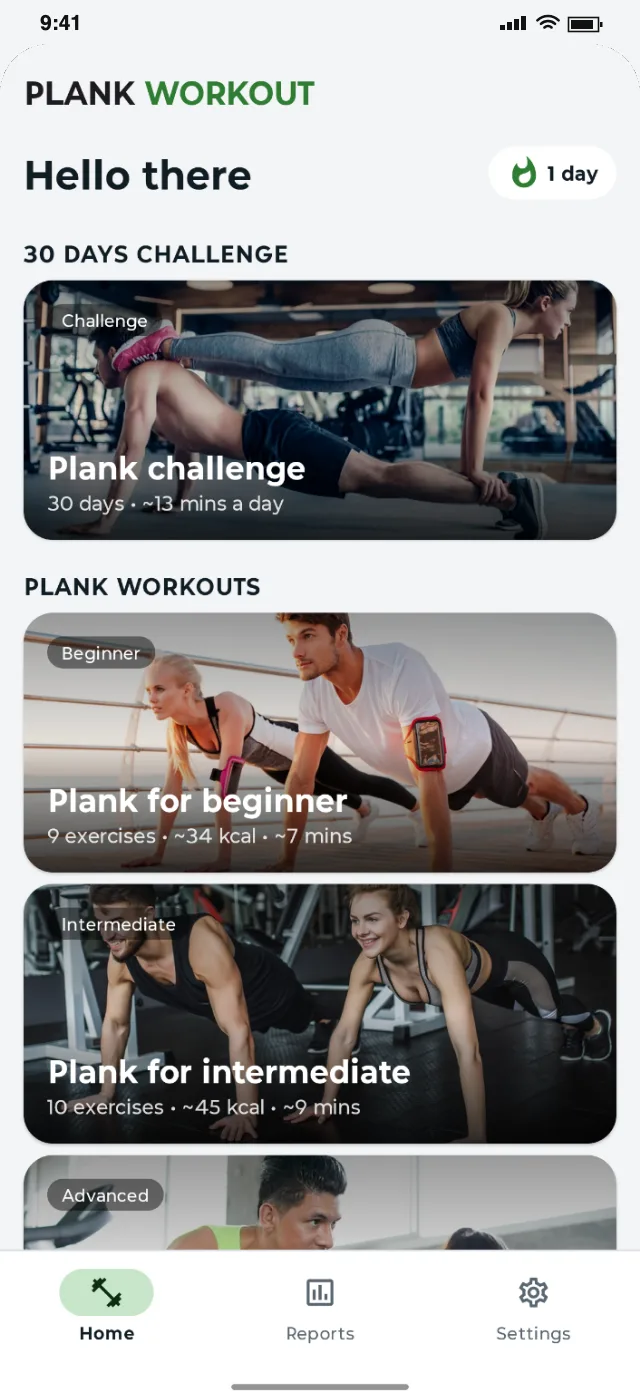
The beginner plan takes about seven minutes. Intermediate and advanced plans step up when you are ready.
Standard, elbow, side and reverse planks and many more variations, using only your bodyweight.
What’s inside
Everything you need to start, stay consistent and see your progress, built into one calm app.
Each of the 49 exercises has a looping video and step-by-step instructions, so you can check your form anytime.
49 exercises
A countdown ring for every hold, spoken cues, and a rest timer with +15s and Skip between planks.
Hands-free
Beginner (9 exercises), intermediate (10) and advanced (15), each with an estimate of time and calories.
3 levels
Optional nudges at 9:00 AM and 7:00 PM that you can move or turn off, skipped on days you have already trained.
Your schedule
Weekly stats with a 7-day chart, a workout streak, a calendar, full history and a built-in BMI calculator.
Progress tracking
All exercise videos are built in. Light and dark themes, and continue an unfinished workout where you left off.
No downloads
In-app experience
1. Your plank plan
The challenge and three levels
2. 30-day challenge
Rest every seventh day
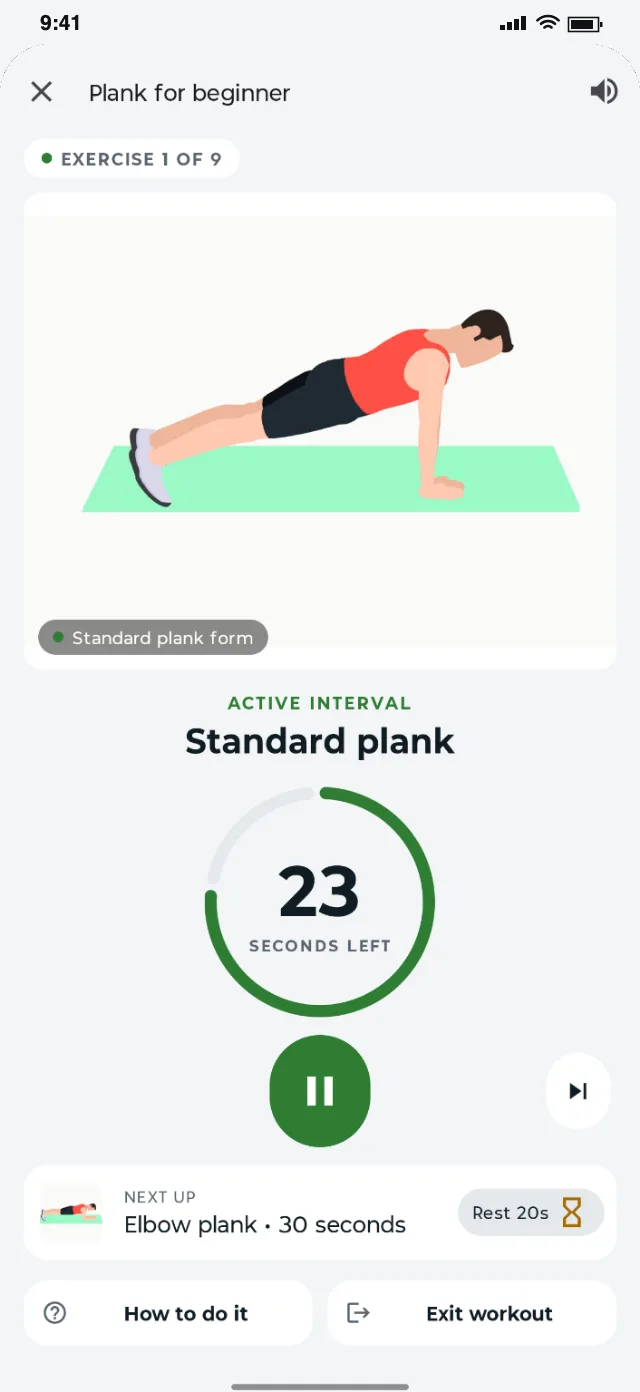
3. Hold with a coach
Countdown ring and voice cues
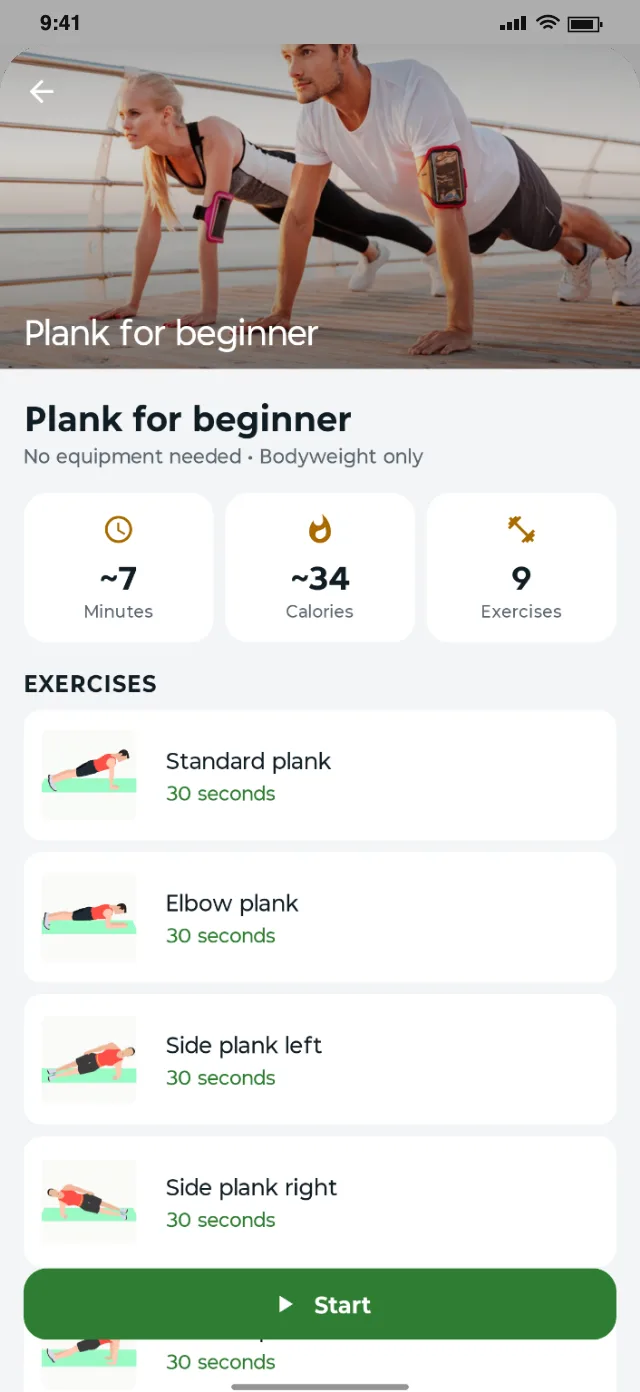
4. Know the workout
Time, calories and every plank
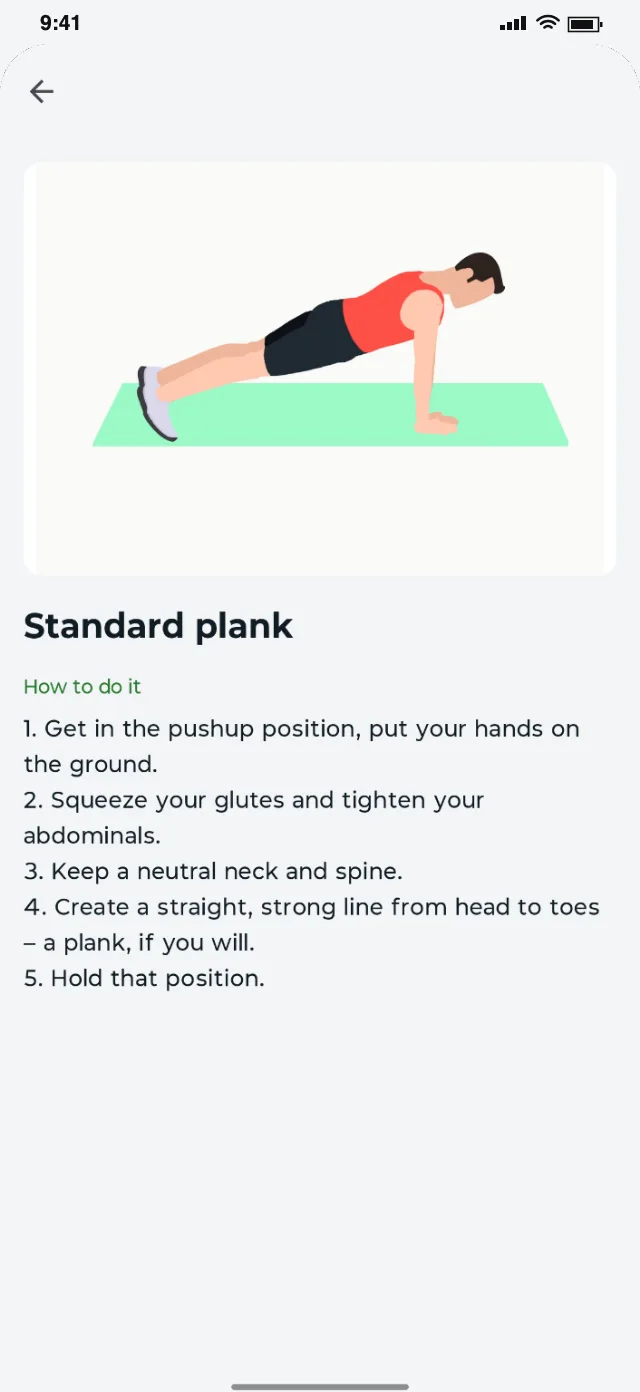
5. Perfect your form
Video and step-by-step tips
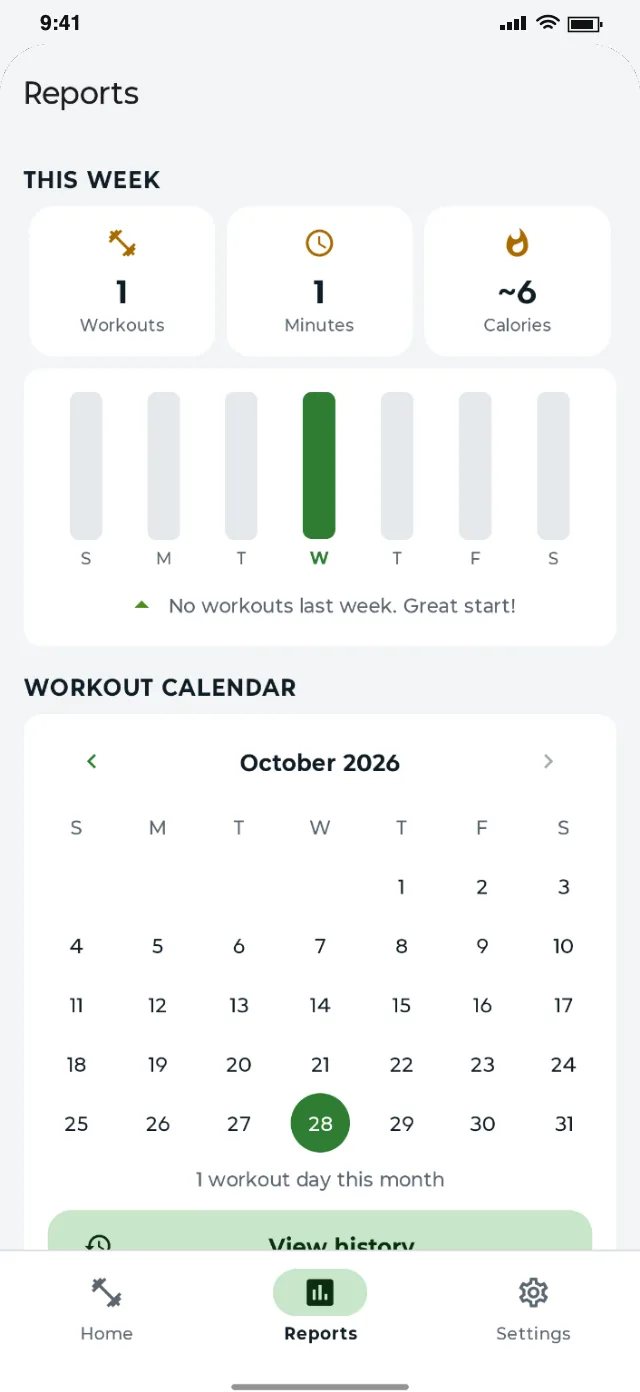
6. Track your week
Stats, chart and calendar
Getting started
Three easy steps from download to a daily habit.
Start the 30-day challenge or pick the beginner, intermediate or advanced plan.
No sign-up
Follow the video, hold for the countdown and rest between planks while the voice coach keeps time.
Zero equipment
Tick off challenge days, keep your streak going and get a reminder when it is time to plank.
Private by design
Help & answers
Questions about Plank Workout, supported devices or privacy? Find quick answers below.
Yes. Day 1 of the challenge is five 30-second planks, and the beginner plan takes about seven minutes. Every exercise has a video and step-by-step instructions.
Plank Workout is coming soon to Google Play for phones running Android 8.0 or later.
Yes. The app is free, with no ads and no in-app purchases.
No account is needed and your progress is saved on your phone. Exercise videos are built in, so workouts play offline.
The app sets the time for each plank, from 20–30 seconds on day 1 up to two minutes later in the challenge. Stop if you feel pain, and keep your form rather than the time.
How Plank Workout handles your data, at a glance. Full details are in our privacy policy.
Plank Workout is a fitness app, not medical advice. Calorie figures are estimates. If you have back pain, an injury, a medical condition or are new to exercise, talk to a doctor before you start.
More from the publisher
Health & Fitness
Follow-along face yoga videos, a 30-day journey, a 21-day challenge and a private selfie journal. No equipment, no account.
Health & Fitness
Five 21-day challenges and 15 bodyweight plans for chest, shoulders and back, arms, legs and abs, with video guides and a voice coach. No equipment, no account.
More apps in development
We publish one carefully built app at a time. New releases for Android and iOS will appear here as they launch.
Ask about upcoming appsStart today, it’s free to download
A stronger core, one plank at a time.